
PPSSPP – PSP emulator
Henrik Rydgård
Nov 10, 2012
Nov 4, 2024
42 MB
v1.19.3
Android 5.0
100,000,000+

Description
PPSSPP: The Definitive Way to Play PSP Games on Android
PPSSPP stands alone as the undisputed king of PSP emulation. Created by Henrik Rydgård, one of the co-founders of the Dolphin emulator, it is a masterpiece of software engineering that translates the complex architecture of the PlayStation Portable into code that runs smoothly on your Android device. It doesn’t just emulate games; it enhances them.
While the original hardware was limited to a small 480×272 resolution screen, PPSSPP allows you to upscale these textures by up to 5x, rendering 3D models in crystal-clear 1080p or even 4K quality. It breathes new life into jagged, blurry polygons, making 15-year-old games look like modern indie releases. But the visual upgrade is just the tip of the iceberg. This emulator provides a suite of tools that the original console could only dream of, from instant save states to turbo speeds that fast-forward through boring cutscenes.
This description will guide you through the massive capabilities of the PPSSPP APK, explaining why it is an essential download for every Android gamer.
UNLEASH HD GRAPHICS AND VISUAL MASTERY
The most immediate benefit of using PPSSPP is the visual transformation. The app includes a powerful rendering engine that can push your phone’s GPU to its limits.
- Resolution Scaling: Forget pixelated graphics. You can set the rendering resolution to 1x (native PSP), 2x, 3x, or even 5x the original quality. On a modern 1080p or 1440p phone screen, setting this to 3x or 4x makes character models look incredibly sharp and detailed.
- Texture Filtering: Enhance the ground and wall textures with Anisotropic Filtering (up to 16x). This prevents textures from looking blurry when viewed at an angle, adding depth and clarity to 3D environments in racing games like Burnout Legends or Wipeout Pure.
- Post-Processing Shaders: Customize the look of your game with built-in shaders. Want a retro feel? Turn on the “Scanlines” or “CRT” shader. Want vibrant colors? Use the “Color Correction” or “Natural Colors” shader to make the visuals pop.
- Immersive Mode: Hide the on-screen navigation buttons and status bar to utilize every inch of your display. Combined with the upscale features, your phone effectively becomes a high-end HD remastering machine.
- Frame Skipping: If you are running on an older device, the Frame Skip option allows you to maintain audio sync and gameplay speed by skipping rendering every other frame. This ensures that even budget phones can run demanding titles smoothly.
- FPS Counter: Keep an eye on your performance with a live FPS (Frames Per Second) and speed percentage counter overlay, helping you tweak settings for the perfect balance of quality and performance.
CONTROL YOUR WAY: TOUCH OR GAMEPAD
One of the biggest hurdles in mobile emulation is controls. PPSSPP tackles this with a highly customizable input system that caters to both casual touch-screen users and hardcore controller enthusiasts.
- On-Screen Touch Controls: The default touch layout replicates the PSP buttons perfectly. You can resize, move, and adjust the transparency of every single button. Do you have large thumbs? Make the D-pad bigger. Do the L and R buttons get in the way? Move them to the corners.
- Haptic Feedback: Feel the game. Enable vibration feedback for button presses to get tactile confirmation every time you jump, shoot, or brake.
- Combo Buttons: Create custom buttons that press multiple inputs at once. For example, in fighting games like Tekken, you can map a single on-screen button to press “Triangle + Circle” simultaneously, making complex combos easy to execute.
- External Controller Support: This is where PPSSPP truly shines. Connect any Bluetooth or USB controller—be it an Xbox One controller, PS4/PS5 DualShock, or a mobile-specific gamepad like the Razer Kishi or Backbone One. The app automatically recognizes most controllers and maps the buttons instantly.
- Keyboard Support: If you are playing on a tablet with a keyboard cover or an Android TV box, you can map the controls to keyboard keys for a PC-like gaming experience.
- Tilt Control: Use your phone’s accelerometer to control analog stick movement. This is particularly fun for racing games, allowing you to steer your car by physically tilting your device.
SAVE STATES, CHEATS, AND ADVANCED TOOLS
PPSSPP offers modern conveniences that respect your time and allow you to play your way.
- Save States: The original PSP required you to find a “Save Point” in-game. With PPSSPP, you can create a “Save State” at literally any second. Stuck on a hard boss fight? Save right before the final blow. If you die, load the state instantly and try again. You have 5 save slots per game.
- Fast Forward (Turbo): RPGs are great, but slow dialogue and unskippable cutscenes can be a drag. Map a “Speed Toggle” button to fast-forward the game at 500% speed. Grind through levels in Final Fantasy or Persona 3 Portable in a fraction of the time.
- Cheats Support: The emulator has a built-in cheat engine compatible with “CWCheat” database files. Give yourself infinite health, max money, or unlock all characters with a few taps. It’s perfect for messing around in open-world games like GTA: Liberty City Stories.
- Audio Latency Settings: Sound is crucial for immersion. PPSSPP allows you to adjust the audio buffer size. Set it to “Low” for responsive audio in rhythm games like Patapon, or “High” to prevent crackling on slower devices.
- Networking (Ad-Hoc Multiplayer): You can play multiplayer games with your friends! By setting up a local hotspot or using a private server (like the built-in PRO Online client), you can play co-op Monster Hunter Freedom Unite or battle in Dragon Ball Z: Tenkaichi Tag Team with friends who also have the app.
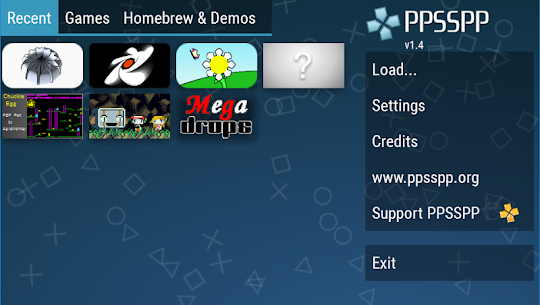
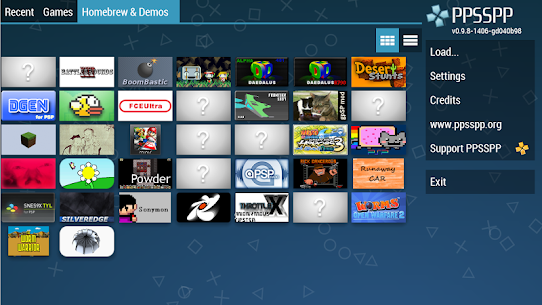
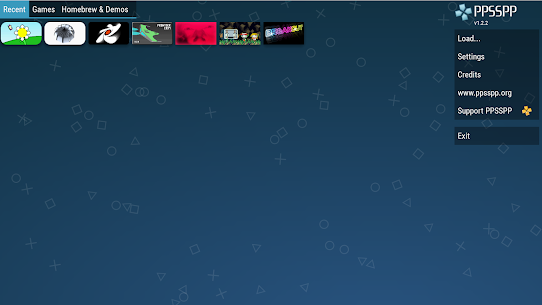
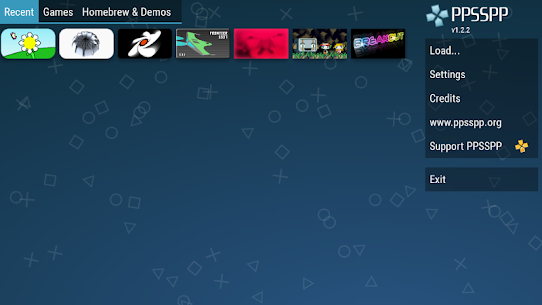
- Game Management: The app features a beautiful grid-view library that displays the cover art of your games. It remembers exactly where you left off in each game, showing a “Recent” tab for quick access.
COMPATIBILITY AND GETTING GAMES
It is important to note that PPSSPP does not come with games. You must provide your own .ISO or .CSO files (game dumps). However, once you have them, the compatibility is staggering.
- Massive Library: The emulator runs virtually the entire PSP catalog. From massive hits to obscure Japanese RPGs, if it ran on a PSP, it likely runs on PPSSPP.
- Homebrew Support: The app has a built-in “Homebrew Store” where you can download free, legal fan-made games and demos directly within the app. It’s a great way to test the emulator without needing to dump your own commercial games first.
- Format Support: It supports .ISO (uncompressed, faster loading) and .CSO (compressed, saves storage space) file formats. It can even load games directly from ZIP or RAR archives, though unzipping them first is recommended for performance.
PPSSPP is a labor of love that transforms your Android device into a powerhouse of entertainment. It respects the legacy of the PlayStation Portable while upgrading it for the modern era. Whether you are grinding levels on a long flight or playing a quick match of FIFA on your lunch break, this app delivers a flawless, premium experience entirely for free. Download the PPSSPP APK now and start your collection!
Android Requirements
To run PSP games at full speed, specifically 3D titles like God of War, your device needs decent hardware. Here are the recommended specs:
| Requirement | Minimum Spec | Recommended (for HD/3x Upscale) |
| Android Version | Android 5.0 (Lollipop) | Android 9.0 (Pie) or higher |
| Processor (CPU) | Dual-Core 1.2Ghz | Snapdragon 700 series / 800 series |
| RAM | 2 GB | 4 GB+ |
| Free Storage | 50 MB (App Only) | 5GB+ (For Game ISOs) |
| Internet | Offline (Required for Multiplayer) | Wi-Fi (for downloading Homebrew) |
What's new
-
Performance Overhaul: Significant frame-rate boosts for heavy titles like God of War and Tekken 6 on mid-range devices.
-
RetroAchievements Support: Login and earn achievements for your classic games, adding a new layer of challenge to old favorites.
-
Vulkan Backend Improvements: Enhanced stability and rendering accuracy when using the Vulkan graphics API.
-
UI Refresh: A cleaner, more modern user interface with better touch-screen scaling and smoother menu navigation.
-
Bug Fixes: Resolved specific crash issues in Metal Gear Solid: Peace Walker and Final Fantasy Type-0.
Video
Images

Download links
How to install PPSSPP - PSP emulator APK?
1. Tap the downloaded PPSSPP - PSP emulator APK file.
2. Touch install.
3. Follow the steps on the screen.
Related apps


Latest Apps
-
 WhatsApp MessengerVaries with device WhatsApp LLC
 -
Cash Carnival : Real Money Slot1.1.4 LUCKY TYCOON STUDIO CO.LIMITED
-
GTA : Liberty City Stories APK2.4.362 Rockstar Games
-
Psiphon PRO VPN : Freedom Online439 Psiphon Inc.
-
Solo Leveling Arise APK – Latest Version Download for Android1.1.77 Netmarble
-


